



Welcome to the Apps for Kids Highlight – April Edition
As spring initiates a new cycle of biological activity, local bird species begin the complex engineering of nest construction. We use this natural process as the foundation for our curriculum this month. Our April design challenge tasks your students with designing a functional, 3D printable birdhouse. This project promotes spatial reasoning and hands-on learning while deepening their understanding of natural habitats. We pair this practical challenge with our “Flying High” lesson modules. These new resources guide your classroom through the fundamental principles of aerodynamics and the physics of flight.
Together, these resources help your students foster creativity and technical proficiency.
Awesome projects!
Check out these cool projects that we selected this month. Congratulations to the inspired designers! See all the shared projects on the Apps for Kids Website.
 TÜRK HAVA YOLLARI TR Kalem ÇUF ÇUUUUUUUUUF


In the Spotlight!
Teaching Aerospace Design: The Flying High Project
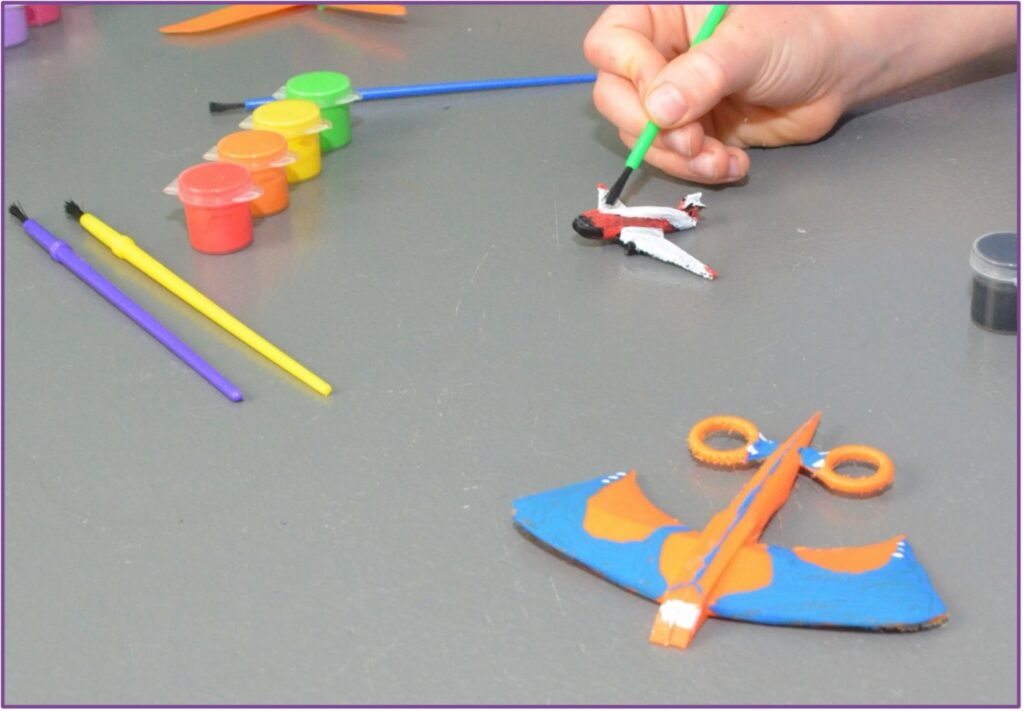
Educators and parents hold the responsibility of preparing students for a future driven by technology and scientific innovation. You can inspire students to create, invent and shape their futures by introducing them to practical design concepts early in their education. The “Flying High” project offers a structured, engaging way to introduce K-12 students to aerospace engineering and 3D modeling.
Using SOLIDWORKS Apps for Kids, students explore the science of flight while developing critical thinking skills. They design aircraft, test their ideas and connect digital modeling to physical reality. This guide explains how to facilitate this project and turn a simple lesson into a robust exploration of engineering.
Sparking Curiosity: The Preparatory Discussion
Before students open any software, you must establish a strong scientific foundation. The “Consider This” phase of the lesson prompts students to think about aerospace engineering and its impact on human life. Aerospace involves designing and building air and spacecraft.
Start a discussion about the challenges engineers face when building new aircraft. Ask students to consider how air travel changes the way people work, communicate and live.
Click here to continue reading about the whole story.
Inspiration and Challenges
The Perfect Perch: Designing a Birdhouse
As spring unfolds, the skies come alive with the flutter of wings and the cheerful songs of birds. These feathered architects are hard at work, building nests to provide shelter and safety for their young. This natural burst of creativity and construction serves as the inspiration for our April design challenge.
We invite your students to take flight with their imaginations and design the perfect birdhouse. This month’s challenge is to create and model a birdhouse that balances functionality with artistic flair. Students can 3D print their birdhouse, and tie it safely to a tree, ready to welcome a bird family.
This hands-on project encourages students to think like designers and architects, considering the needs of their avian “clients” while exploring the possibilities of 3D modeling and printing. It’s a chance to blend creativity with technical skills, transforming digital ideas into tangible creations.
We can’t wait to see the unique and innovative birdhouses your students bring to life—each one a tiny masterpiece for our feathered friends! Check out our tutorial video, and start building your own birdhouse!
Do you want to see your students’ or your kids’ designs on SOLIDWORKS Education Facebook, Twitter, or Instagram? Share their A4K creation on social media, mentioning #birdhouse AND #swa4k, and we might feature them on our channels!
Thank you from us all in the Apps for Kids Team!
***
Useful info and Apps for kids links:
- Apps For Kids Video Gallery
- AFK FAQ
- Sign up for an individual creator account, or a classroom account today!
Login to your Apps for Kids Classroom account
Login to your individual Apps for Kids Creator account
Share your Feedback with us
 We would love to hear from you, feel free to share what you are doing with Apps for Kids or any improvement you feel we could make.
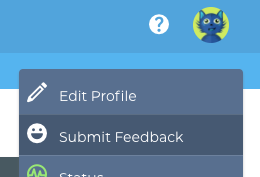
To share feedback with us, click your avatar at the top right and then choose “Submit Feedback”. Your feedback is directly shared to the AFK team!
️
Back to Blog