


Welcome to the Apps for Kids Highlight – December Edition
It’s December, the perfect time to reflect on a year of creativity and innovation. As the holiday season unfolds, we’re reminded of the magical workshops of elves, where imagination, teamwork, and precision turn ideas into reality. In your classrooms, the same magic happens every day. STEM educators like you guide students from creative spark to finished project, transforming challenges into opportunities.
This season, we invite you to help your students become the elves of their own workshops by creating their own gifts. They can draw inspiration from the video tutorials we shared throughout the year in our newsletters.
With SOLIDWORKS Apps for Kids, you empower young minds to experiment, design, and engineer their own creations, bringing the spirit of innovation to life.
Wishing you a joyful holiday season and a wonderful end of the year!

Awesome STEM educators projects!
Check out this collection of nice projects that we specifically selected to illustrate this festive month. Congratulations to the inspired designers! See all the shared STEM educators projects on the Apps for Kids Website.
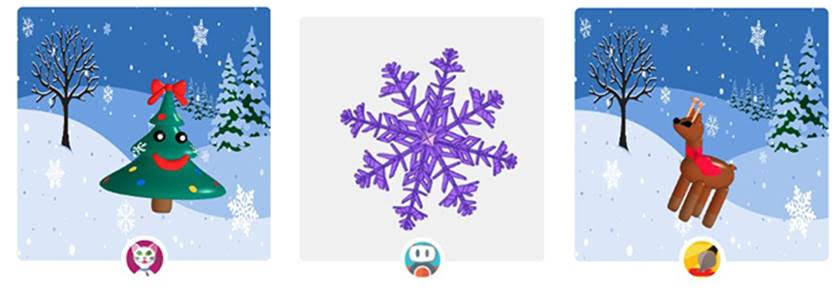
Christmas Tree snowflake Christmas Reindeer
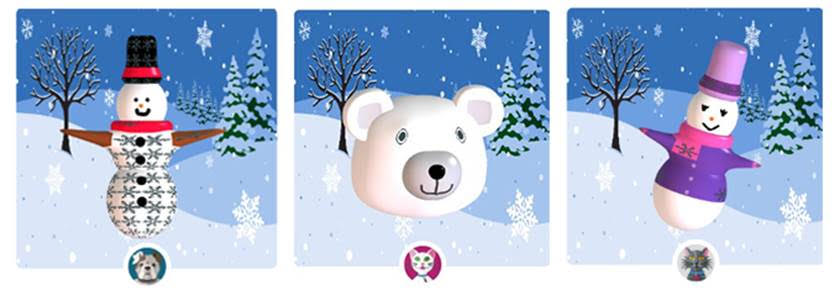
Kardan Adam Polar Bear Tatli Kardan Kiz

Sugar Cane Biscuit Star Biscuit Ginger Bread Man
Inspiration and Challenges
Welcome to the Elves’ Workshop, an innovative digital space where holiday magic meets modern manufacturing and where imagination takes physical form. This season, we’re giving creators a unique opportunity to design and 3D-print their own custom gifts by drawing inspiration from the video tutorials we’ve shared in our newsletters throughout the year. Our comprehensive tutorials offer clear, step-by-step guidance, making the journey from concept to creation both simple and intuitive. Revisit your favorite lessons, spark new ideas, and bring your festive creations to life with the magic of 3D printing.
1/ A ring
Let your imagination guide you in creating a meaningful piece that combines personal expression with a message for the Earth. Ready to design something unforgettable? Here’s a video to help you get started:
2/ A TicTacToe game
Have your elves design a Tic Tac Toe board and play in pairs to strengthen their spatial awareness. Let’s make learning fun and festive by swapping spiders for Christmas baubles and witch hats for elf hats! Here’s a video that shows how to design and play a Tic Tac Toe game to guide you:
3/ A peace pendant
Prepare your elves to craft a unique and meaningful pendant, showcasing the potential of digital fabrication technology. Here is a video that could give them an idea:
4/ A cat phone holder
And what about designing and 3D printing a phone holder using SOLIDWORKS Apps for Kids?
Here is a video that shows you how:
5/ A musical charm
Unleash your inner innovator and craft a one-of-a-kind keepsake that captures the sound and spirit of the holidays. Follow along as we guide you through the process of bringing your very own musical charm to life thanks to this video:
Do you want to see your students’ or your kids’ designs on SOLIDWORKS Education Facebook, Twitter, or Instagram? Share their A4K creation on social media, mentioning #gifts AND #swa4k, and we might feature them on our channels!
Thank you from us all in the Apps for Kids Team!
***
Useful info and Apps for kids links:
- Apps For Kids Video Gallery
- AFK FAQ
- Sign up for an individual creator account, or a classroom account today!
Login to your Apps for Kids Classroom account
Login to your individual Apps for Kids Creator account
Share your Feedback with us
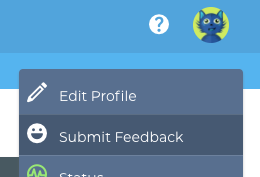 We would love to hear from you, feel free to share what you are doing with Apps for Kids or any improvement you feel we could make.
To share feedback with us, click your avatar at the top right and then choose “Submit Feedback”. Your feedback is directly shared to the AFK team!
Back to Blog